
The website is usually the first interaction that customers have with the company. The website design may determine whether they will browse, communicate with the company or leave. Good web design is not only about making sure that the website looks good. A good-looking website may be a failure because visitors may not understand the offer or perform the necessary actions. A high converting website is the combination of beautiful website design and effective messaging, easy navigation, good calls-to-action, good website performance, mobile usability, good trust factors and quality content. Web design also plays an important role in determining how well it performs in search. Google suggests using mobile-friendly pages, good crawlability of links, good descriptions and a positive user experience. In its recent update Google decided to index the mobile version of the site using mobile first indexing. Here is the guide by Innovix99 on website design.
What Is Web Design?
Web design is the process of planning and creating the visual appearance, structure and user experience of a website. It includes more than choosing colors and images.
Professional website design considers:
- Page layout
- Site structure
- Typography
- Colors
- Images and graphics
- Navigation
- Buttons
- Forms
- User experience
- Mobile responsiveness
- Accessibility
- Branding
Every element should support a clear purpose. For example a service website may need to generate enquiries. An e-commerce website needs to help visitors find and purchase products. A B2B website may focus on RFQs, downloads, calls or consultation bookings.
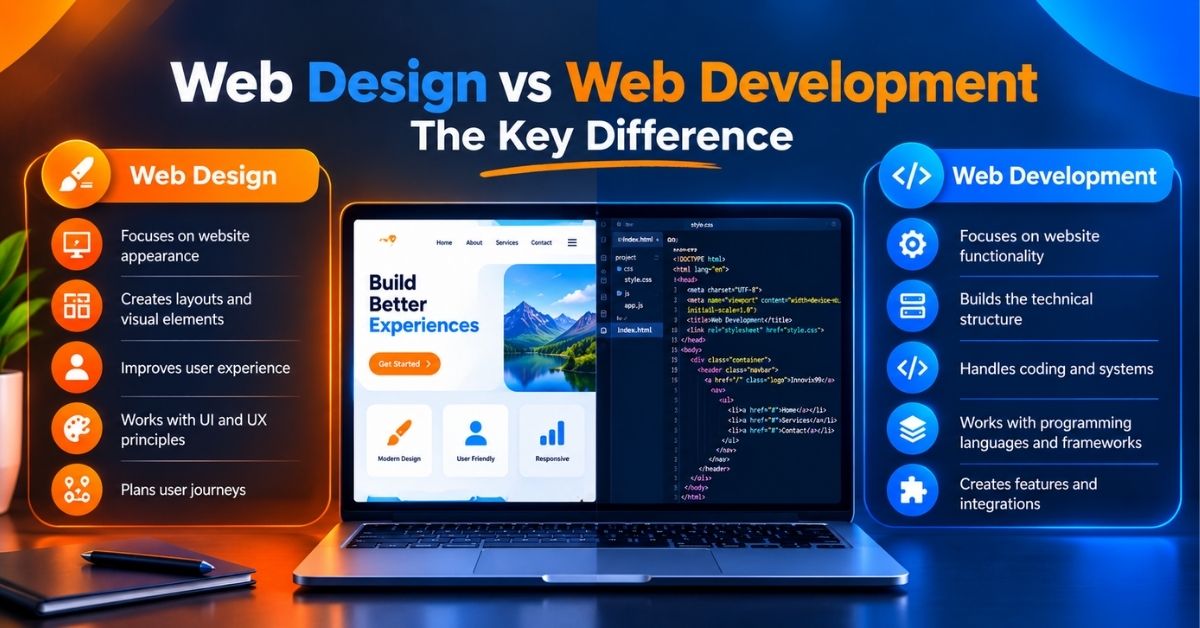
Web Design vs Web Development
Web design and website development work together but they are not the same.
| Web Design | Web Development |
| Visual appearance | Technical functionality |
| Page layout | Programming and code |
| Typography | Frontend and backend |
| Colors and imagery | Databases |
| User experience | APIs |
| Branding | System integrations |
| Navigation planning | Technical architecture |
What users will see and how they will interact with a website are the main concerns of web designers. Making websites work is the responsibility of web developers. When working on business projects, designers and developers should collaborate from the outset.
What Makes a Website High-Converting?
A high converting website makes it easy for visitors to understand what a business offers and take the next step.
The most important elements usually include:
- A clear value proposition
- Strong calls to action
- Simple navigation
- Fast page loading
- Mobile-friendly layouts
- Visible trust signals
- Strong visual hierarchy
- Simple forms
- Relevant content
- Consistent branding
The exact conversion will depend on the business. For an online store, it may be a sale. For a service company, it may be a phone call. For a B2B company, it may be an RFQ or demo request. The design should therefore be built around the action that matters most.
Key Elements of a High-Converting Website
Clear Value Proposition
Visitors should understand the business quickly. Your main message should answer three questions:
- What do you offer?
- Who is it for?
- Why should someone choose you?
Avoid vague homepage headlines such as
“Welcome to Our Website.”
A stronger message explains the benefit immediately.
For example:
“Custom E-Commerce Websites Built to Generate More Sales.”
It gives visitors more useful information without forcing them to search for it.
Strong Call-to-Action
A call-to-action tells visitors what to do next.
Common CTAs include:
- Get a Quote
- Contact Us
- Book a Consultation
- Shop Now
- Request a Demo
- Call Now
- View Services
A CTA should look clickable. It should also use clear wording. Avoid adding five competing actions to the same section. Give the visitor one obvious primary action and use secondary actions only where necessary.
Simple Navigation
Navigation should help visitors reach important information with minimum effort.
A typical service-business menu may include:
- Home
- About
- Services
- Industries
- Case Studies
- Blog
- Contact
Categories, filters, search, links to user accounts and shopping cart may be required for e-commerce websites as well. Breadcrumbs are useful for deep websites as they help users navigate and understand their location better. Navigation is important for search engines. According to Google crawlable links are good and help both users and Google to find important webpages.
Visual Hierarchy
Visual hierarchy directs attention. It tells visitors what to notice first, second and third.
You can create a hierarchy through:
- Heading size
- Font weight
- Images
- Button placement
- White space
- Contrast
- Section spacing
- Content order
Your main headline should normally be more prominent than supporting text. Your primary CTA should be easier to notice than secondary links. The goal is not to make everything bold. When everything demands attention nothing feels important.
Trust Signals
People hesitate when they are unsure about a business. Trust signals can reduce that uncertainty.
Useful examples include:
- Customer reviews
- Testimonials
- Client logos
- Certifications
- Awards
- Case studies
- Guarantees
- Team information
- Physical address
- Phone number
- Clear contact details
- Secure HTTPS
Signals of trust should be sincere. An unsupported assertion like “We are the best company” is typically less helpful than a real case study with a definite business outcome.
How to Design a Website That Converts Visitors Into Customers
A conversion focused website should be planned before visual design begins.
Step 1: Define Your Target Audience
Start with the customer.
Ask:
- Who are they?
- What problem are they attempting to solve?
- What are their concerns?
- What questions do they ask before purchasing?
- What information promotes trust?
- What device are they likely to use?
- Which action do you want them to take?
B2B procurement manager information may differ from that of an online fashion buyer. In design user circumstances must be reflected.
Step 2: Define Your Conversion Goal
Every important page should have a purpose.
Common goals include:
- Product purchase
- Lead generation
- Phone call
- WhatsApp enquiry
- Form submission
- Appointment booking
- Consultation request
- Demo request
- RFQ submission
Define the main conversion before designing the page. This makes it easier to decide which content, buttons and forms are necessary.
Step 3: Create a User-Focused Structure
Plan the site’s pages before creating visual mockups. A service-business structure may include:
- Homepage
- Services
- Individual Service Pages
- Industries
- About
- Case Studies
- Blog
- Contact
An e-commerce website may use:
- Homepage
- Categories
- Subcategories
- Product Pages
- Cart
- Checkout
Keep important pages easy to reach. Google also recommends a crawlable site structure and descriptive internal links so search engines can discover and understand pages.
Step 4: Create a Strong Homepage
A practical homepage structure is
- Hero
- Benefits
- Services/Products
- Why Choose Us
- Social Proof
- Process
- FAQ
- CTA
The hero section should explain the main offer. Do not fill it with a long company history. Visitors usually need to know what you provide and whether it is relevant to them first.
The next sections can answer questions such as
- What do you offer?
- What problems do you solve?
- Why should customers trust you?
- How does your process work?
- What should they do next?
Step 5: Optimize Landing Pages
Each landing page should have one main purpose.
A strong landing page usually includes:
- Clear headline
- Short supporting message
- Main benefits
- Product or service details
- Proof
- Objection handling
- FAQ
- Strong CTA
Remove unnecessary distractions. If the goal is to request a quote make that action obvious throughout the page.
Website Design Best Practices
Keep the Design Simple
A simple website is not the same as a boring website. It means removing elements that do not help the visitor.
Avoid:
- Excessive animations
- Too many colors
- Cluttered layouts
- Autoplay distractions
- Unnecessary pop-ups
- Large blocks of text
- Multiple competing buttons
Animation can support storytelling. But it should not make the website harder or slower to use.
Use Consistent Branding
Consistency makes a site feel more professional.
Create clear rules for:
- Logo use
- Brand colors
- Fonts
- Button styles
- Icon styles
- Image style
- Section spacing
- Border radius
A visitor moving from your homepage to a service page should feel that they are still using the same website.
Use High-Quality Visuals
Images can communicate information faster than long text.
Useful visual content includes:
- Product photography
- Team photography
- Custom graphics
- Videos
- Screenshots
- Illustrations
- Diagrams
Images should also be optimized.
Google recommends high quality images placed near relevant text and descriptive alt text that helps users and search engines understand image context.
Make Content Easy to Scan
Most business pages should not look like academic papers. Break information into smaller sections.
Use:
- Short paragraphs
- Clear H2 and H3 headings
- Bullet points
- Tables
- Highlighted benefits
- Strong CTA sections
Visitors should be able to scan the page and still understand the main message.
Mobile-Friendly Web Design
Responsive web design is essential for modern websites. The Google search engine uses the mobile version of website content for indexing and ranking. Google highly encourages having a mobile friendly website as well as keeping the same content on desktop and mobile pages.
Mobile design should consider:
- Responsive layouts
- Readable text
- Touch-friendly buttons
- Simple navigation
- Optimized images
- Shorter forms
- Clear CTAs
- Proper spacing
Do not simply shrink a desktop website. Think about the mobile experience separately. A form that feels simple on a laptop may feel frustrating on a small screen.
Responsive vs Mobile-Only Design
Responsive design involves using the same primary website but customizing its layout according to various screen sizes. A mobile site can also involve separate URLs and templates. When it comes to modern day businesses, responsive design is more straightforward compared to having to create multiple web pages. Google’s mobile first policy highlights the need for equal content, metadata, headers and structured data on mobile and desktop sites.
Website Speed and Performance
A visually impressive site is not useful if visitors struggle to load or interact with it.
Important performance areas include:
- Image optimization
- Lazy loading
- Browser caching
- CSS optimization
- JavaScript optimization
- Font optimization
- CDN use
- Good hosting
- Reduced third-party scripts
- Core Web Vitals
Googles current Core Web Vitals use three main measurements:
| Metric | What It Measures | Good Target |
| LCP | Loading performance | 2.5 seconds or less |
| INP | Interaction responsiveness | 200 ms or less |
| CLS | Visual stability | 0.1 or less |
Google recommends evaluating these targets at the 75th percentile of page loads across mobile and desktop users.
Image Optimization
Large images can add significant page weight. Resize images for their actual display size. Use suitable modern formats where practical. Compress files without damaging visible quality. Below the fold images can often use browser lazy loading. However web.dev advises against lazy-loading important images that appear immediately in the first viewport especially the LCP image.
Why Website Speed Affects Conversions
A slow page creates friction.
The sequence is simple:
Slow loading → waiting → frustration → fewer interactions → potential lost leads or sales
Performance needs to be part of professional web design not something that is only added once the website is live. Google also recommends good Core Web Vitals as part of a strong page experience but good Core Web Vitals scores alone would not earn you higher rankings.
SEO-Friendly Web Design
Good website design should make it easy for both people and search engines to understand a site. SEO should not begin after development is finished. It should influence the structure from the planning stage.
SEO-Friendly Website Structure
A good structure can include:
- Logical URLs
- Clear categories
- Crawlable navigation
- Internal links
- H1, H2, and H3 headings
- Breadcrumbs
- Useful page relationships
Google suggests the use of descriptive words in key locations such as titles, headings, alt text and link text. It also suggests making important links crawlable.
Technical SEO
Important technical elements include:
- Mobile responsiveness
- Page speed
- XML sitemap
- Robots.txt
- Canonical URLs
- HTTPS
- Indexability
- Correct redirects
- Crawlable internal links
Designers and developers should communicate about these elements before launch. A visually perfect website can still have search problems if important pages are accidentally marked or blocked from crawling. Google specifically warns against inconsistent settings on mobile pages because Google relies on mobile content for indexing.
On-Page SEO
Every important page should target a clear search intent.
Key elements include:
- Useful title tag
- Meta description
- One clear primary topic
- Logical H1/H2 structure
- Descriptive content
- Image ALT text
- Internal links
- Relevant calls to action
Google recommends unique, clear, concise page titles that accurately describe page content. It also advises writing useful meta descriptions and descriptive image alt text. Avoid forcing keywords into every sentence. Write for the reader first.
UX Design: Making Websites Easy to Use
User experience or UX focuses on how easy and comfortable a website is to use.
Good UX considers the full user journey. A visitor may move through:
Google Search → Landing Page → Service Page → Case Study → Contact Form
Every step should feel logical.
Important UX areas include:
- Navigation
- Search
- Forms
- Checkout
- Error messages
- Page structure
- Accessibility
- Mobile experience
- Contact options
Accessibility
Accessibility should be considered during design.
WCAG 2.2 recommends a minimum contrast ratio of 4.5:1 for normal text at Level AA with different requirements applying to large text. It also includes requirements related to keyboard access, focus visibility, text resizing, forms and other accessibility needs.
Accessible design can include:
- Sufficient color contrast
- Keyboard-friendly navigation
- Descriptive labels
- Useful alt text
- Visible focus states
- Clear error messages
- Readable typography
- Proper HTML structure
Accessibility is part of good UX.
Common UX Problems
Common problems include:
- Confusing navigation
- Too many clicks
- Long forms
- Tiny mobile buttons
- Poor spacing
- Hidden contact details
- Unexpected pop-ups
- Broken search
- Confusing checkout steps
- Unclear error messages
Test important tasks before launch. Ask someone unfamiliar with the project to find a service, request a quote or buy a product. Their difficulties can reveal problems the project team no longer notices.
Web Design for Different Types of Businesses
There is no single layout that works for every company.
E-Commerce Websites
E-commerce design should make product discovery and purchasing simple.
Important features include:
- Clear product categories
- Search
- Filters
- High-quality photos
- Product specifications
- Reviews
- Pricing
- Stock information
- Cart
- Simple checkout
Avoid hiding essential purchase information. The user should know what they are buying and what to do next.
Service-Based Businesses
Service websites usually focus on lead generation.
Important elements include:
- Individual service pages
- Benefits
- Process
- Testimonials
- Case studies
- FAQs
- Contact forms
- Call buttons
- Strong CTAs
Each service should ideally have enough information to answer common customer questions.
B2B Websites
B2B buyers often need more detailed information.
Useful content can include:
- Technical specifications
- Industry pages
- Certifications
- Case studies
- Product downloads
- Brochures
- RFQ forms
- Company credentials
- Contact details
Do not sacrifice important information simply to make the site look minimal.
Local Businesses
Local websites should make location information easy to find.
Useful elements include:
- Business address
- Phone number
- Opening hours
- Reviews
- Maps
- Directions
- Service areas
- Location pages
- Google Business Profile integration
The visitor should quickly understand whether the company serves their area.
WordPress vs Custom Web Design
Both options can produce a professional website. The correct choice depends on the project.
| WordPress Web Design | Custom Web Design |
| Uses an established CMS | Built around specific technical requirements |
| Faster for many standard sites | More development work may be required |
| Large plugin ecosystem | Features can be built specifically for the project |
| Easier content management | Backend can be designed around custom workflows |
| Suitable for blogs and service sites | Useful for complex platforms |
| Can support e-commerce | Suitable for advanced integrations |
| Requires plugin/theme maintenance | Requires custom code maintenance |
WordPress provides an editable CMS and a large plugin ecosystem for functions such as stores, analytics, newsletters and integrations.
When WordPress Web Design Makes Sense
WordPress web design can be a strong choice for:
- Corporate websites
- Service businesses
- Blogs
- Content-heavy websites
- Marketing websites
- Small and medium e-commerce stores
- Businesses that need easy content editing
The platform is flexible but performance and security still depend on how the site is built and maintained.
When Custom Web Design Makes Sense
Custom web design and development may be better for:
- Complex SaaS platforms
- Custom portals
- Advanced dashboards
- Unique workflows
- Complex APIs
- Large-scale integrations
- Applications with unusual technical requirements
Custom does not automatically mean better. WordPress does not automatically mean cheaper or lower quality. The right platform depends on business requirements.
How Much Does Web Design Cost?
There is no useful universal price for professional web design. A five-page company website and a multi-vendor e-commerce platform are completely different projects.
The cost normally depends on:
- Number of pages
- Design complexity
- Custom functionality
- CMS
- E-commerce requirements
- Payment integrations
- APIs
- Content creation
- SEO requirements
- UX research
- Photography
- Copywriting
- Multilingual features
- Hosting
- Maintenance
- Ongoing support
A business should first define what the website needs to achieve. Then request a proposal based on scope. Comparing agencies only by the lowest initial quote can be misleading if the proposals include different levels of design, development, SEO, testing, content and support.
Common Web Design Mistakes to Avoid
Even expensive websites can fail when basic principles are ignored.
- Designing Only for Aesthetics
- No Clear CTA
- Slow Website
- Poor Mobile Experience
- Too Much Text
- Weak Homepage Messaging
- Complicated Navigation
- Poor Typography
- Low-Quality Images
- Ignoring SEO
- No Trust Signals
- Difficult Contact Forms
How to Measure Website Conversion Performance
A website should be measured after launch. Design decisions should not rely only on personal preference.
Useful metrics include:
- Conversion rate
- Leads
- Sales
- Form submissions
- Phone clicks
- CTA clicks
- Engagement
- Organic traffic
- Landing-page performance
- Checkout completion
A simple conversion rate calculation is
Conversions ÷ Visitors × 100 = Conversion Rate
For example if 1,000 relevant visitors generate 50 enquiries the conversion rate is 5%. The important point is not whether 5% is universally “good.” The useful question is whether your conversion rate improves as you make better decisions.
A/B Testing
A/B testing compares two versions of an element.
You can test:
- Headlines
- CTA wording
- Button placement
- Forms
- Images
- Page layouts
- Pricing presentation
- Hero sections
For example:
Version A: Get a Quote
Version B: Request Your Free Consultation
Run the test with enough traffic to produce meaningful data. Do not change ten elements at the same time and then assume you know which change caused the result.
Web Design Checklist
Use this checklist before launching a business website:
- Clear value proposition
- Mobile responsive
- Fast loading
- Simple navigation
- Strong primary CTA
- Logical website structure
- SEO-friendly URLs
- Optimized images
- Descriptive ALT text
- Trust signals
- Accessible content
- Readable typography
- Strong color contrast
- Secure HTTPS
- Easy contact forms
- Working internal links
- Correct title tags
- Meta descriptions
- XML sitemap
- Indexability checked
- Analytics configured
- Conversion tracking configured
- Forms tested
- Mobile menu tested
- Checkout tested where applicable
- Core Web Vitals reviewed
Google recommends considering Core Web Vitals, secure delivery, mobile usability, intrusive interstitials and overall ease of use when assessing page experience.
FAQs About Web Design
What is web design?
Web design is the process of planning the appearance, structure, layout, navigation and user experience of a website. It covers elements such as typography, colors, images, buttons, page structure and responsive layouts.
What makes a website high-converting?
A high-converting website clearly explains its offer and makes the desired action easy. Strong messaging, clear CTAs, trust signals, fast performance, simple navigation, useful content and mobile friendly layouts all support conversions.
How much does professional web design cost?
There is no single price. The cost depends on page count, custom design, functionality, CMS, e-commerce requirements, integrations, content, SEO, UX work and maintenance.
How long does it take to design a website?
The timeline depends on scope. A simple business site requires less planning and development than a custom e-commerce platform, portal or web application. Content approvals and client feedback can also affect delivery time.
What is the difference between web design and web development?
Web design focuses mainly on appearance and user experience. Website development focuses on building the technical functionality behind the design.
Is WordPress good for professional web design?
Yes. WordPress can support professional company websites, blogs, e-commerce sites and marketing websites. Its official platform also supports a large ecosystem of plugins for extending functionality.
Is custom web design better than WordPress?
Not automatically. Custom development makes sense when a project requires unique functionality or complex technical workflows. WordPress can be more practical for many content-driven and standard business websites.
How important is mobile-friendly web design?
It is extremely important. Google uses mobile content for indexing and ranking and strongly recommends mobile-friendly websites.
Does web design affect SEO?
Yes, several parts of design and development can affect SEO. These include mobile usability, page performance, crawlability, navigation, internal linking, headings, image optimization and indexability. Google also uses Core Web Vitals within its ranking systems, although they are only part of the wider ranking process.
How can I improve my website conversion rate?
Start by reviewing your value proposition, CTAs, landing pages, forms, page speed, mobile experience, trust signals and navigation. Then use analytics and controlled testing to identify where visitors stop or fail to complete important actions.
Final Thoughts
Successful web design is not simply about creating an attractive page. A business website needs to bring several disciplines together:
Design + UX + Performance + SEO + Trust + Clear CTAs + Conversion Strategy
An attractive site may create a strong first impression. A strategically designed site should go further. It should help visitors understand the business, find the right information, trust the company and take meaningful action. That is the goal of professional web design services. Innovix99 provides web design and development solutions for businesses, including responsive websites, custom development and e-commerce projects. Its own service positioning focuses on fast, responsive websites and digital experiences built around business goals. For businesses planning a new website or redesign, the strongest starting point is simple: define the customer, define the conversion goal and build every part of the website around both.